Your holiday light show needs a reliable way to stop
Check controller mapping at the intended operating brightness. Rehearse a restart before expanding a home WLED and xLights display.
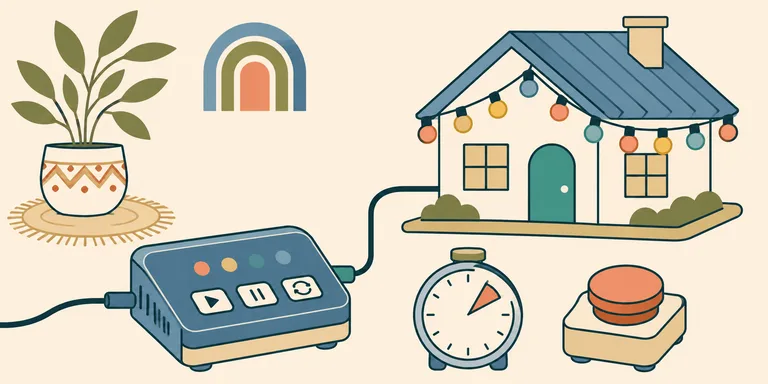
A short loop of lights can make a house look carefully choreographed. Keeping it working for an evening is another job. The controller needs to receive the intended sequence, and someone needs a way to stop the display when the network or the weather interrupts it.
For a home project, choose one small lighting zone before buying enough pixels for the whole facade. A successful test should establish what the equipment does after a restart, including which brightness setting returns. That information is more useful for planning the installation than a claim that one particular holiday season belonged to DIY light shows.
Decide where the sequence runs
Addressable LEDs let a controller set individual pixels. WLED is firmware that supplies effects and control interfaces for supported hardware. Its current quick-start guide, checked on November 14, 2026, recommends an ESP32 for a new project and says ESP8266 support is approaching its end. Check the specific board before copying an older build list.
A built-in effect can run on the controller. A sequence sent from another machine introduces a sender that must remain available during playback. Decide which arrangement your display uses. A laptop going to sleep can become part of the failure path when it is responsible for the outgoing show data.
For a music sequence, xLights separates the visual models from their controller assignments. Its controller documentation explains how those assignments determine channel mapping. A shrub represented correctly in the preview still needs the correct physical output. Test a single recognisable pattern before adding timing against a song.
Keep a copy of the working layout with the controller settings. If you replace a board midway through the season, the saved configuration gives you something concrete to restore. Record the firmware version beside it. A screenshot of the finished display leaves those details out of the repair process.
Diagnose colour before blaming the sequence
A strip showing the wrong colour can have a configuration mismatch. A strip becoming dimmer towards its end can have a different electrical problem. Compare a simple static test with the intended sequence so that the diagnosis starts with the visible behaviour.
The WLED FAQ discusses colour-order settings and voltage drop as separate issues. Follow the documentation for the actual strip and controller being used. Increasing a software limit without checking the electrical design can move the problem elsewhere in the installation.
The controller board is only part of the bill. The complete installation needs a suitable power system with protection appropriate to its load. Outdoor connections need an enclosure and cable arrangements suited to their exposure. Use a preassembled outdoor-rated kit when you want to avoid designing that electrical assembly yourself. Mains installation belongs with someone qualified for that work.
Test the planned operating brightness before mounting the lights. A short demonstration at reduced output can conceal a problem that appears during a brighter sequence. Observe the full intended run under the equipment's specified operating conditions, then keep that tested limit in the configuration you deploy.
Give the display one control owner
A timer can turn the display on while a show player is already sending data. A phone can then request another effect. Write down which control path should take precedence. Without that decision, each component can appear functional while the combined behaviour surprises the person operating the show.
WLED also supports MQTT for control through a broker. Its MQTT documentation says those connections currently lack transport encryption and recommends a local broker. That is a specific integration route with a documented boundary. A broad smart-home compatibility label leaves the actual route unspecified.
For a simple installation, minimise the number of independent things allowed to change its state. A household member should know which control stops playback and whether another schedule will start it again. Test the stop condition while the sequence is running, then repeat the check after the controller reconnects.
A visitor-triggered effect adds another state transition. Decide whether it interrupts the current sequence or waits for an appropriate point. Give the trigger a predictable end so the ordinary display can resume. This can be a small addition once the basic playback path has a known owner.
Rehearse the evening you intend to run
Use a short rehearsal with the equipment in its installed position. Confirm that the intended controller remains reachable at that location. A bench test beside the router leaves the real radio conditions untested. If several zones are involved, observe them together at the planned operating time.
Check what happens when the sender stops. Then check a controller restart. The household needs an acceptable state in both cases, especially if the normal stopping time arrives while part of the control system is unavailable. Keep a direct way to turn the installation off that does not depend on repairing the show software first.
Make the running hours explicit for the people sharing the space. A small display can still shine into a neighbour's window, and an audio loop changes the experience for everyone nearby. Adjust the installation around that actual setting before expanding it.
Save the tested configuration after the rehearsal. Keep its recovery instructions short enough that another household member can use them. The next improvement can then build on a display whose behaviour is known for a whole evening, including the moment the sequence ends.