A bookmark keeps the address while the page can disappear
Missing search results, deleted pages and changed access permissions need different recovery steps. Keep the version your work actually depends on.
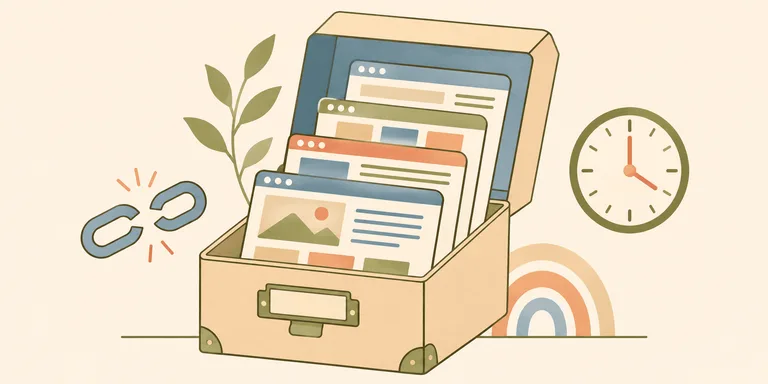
A saved link can stop working even while the website around it survives. A search result can disappear while the original page remains online. Recovering old work starts with telling those failures apart.
The useful question is whether you can retrieve the material you need. A search engine, the publisher's website and a web archive each have different coverage. Keeping a URL gives you an address whose contents can change.
A missing page has a measurable history
Pew Research Center's May 2024 study of disappearing web content found that 38% of sampled webpages from 2013 were inaccessible when checked in 2023. Across the study's 2013-2023 period, roughly a quarter of sampled pages were inaccessible. Those dates belong beside the percentages. They describe a historical sample, with no measurement here of the entire web in November 2026.
Much of that loss happened at the page level on websites that still worked. A working homepage can therefore give false confidence about an old article. The publisher may have changed its content system, removed a section or abandoned a particular URL.
The study measured access to sampled URLs. It did not establish that every inaccessible page had vanished from every possible archive. A redirected address or a republished copy may still lead to the text. Retrieval needs more investigation than checking one old bookmark.
Search has a separate failure mode
Google describes crawling, indexing and serving results as separate stages. It gives no guarantee that a page will pass through all of them. A page can be reachable directly while absent from a particular query's results.
That distinction changes the search. If you still know the publisher, open its own archive. Search for a distinctive sentence in quotation marks. Narrow the query to the domain if the original site remains active. The author's name or an approximate publication date can help identify a moved copy.
A result's absence cannot explain the reason for that absence. Claims that an old page was deliberately buried need evidence about that page. A general story about engagement incentives supplies no record of its indexing history. The same problem applies to claiming that every unsuccessful search proves link rot.
For work you publish yourself, Search Console can help investigate indexing. For someone else's article, the direct URL and the publisher's own records are more useful starting points. Your access to the underlying evidence determines how precisely you can diagnose the loss.
A platform can change who gets access
YouTube's change to older unlisted videos is a documented example. Starting on 23 July 2021, unlisted videos uploaded before 1 January 2017 became private unless their owners opted out. YouTube linked the change to an update in how unlisted links were generated.
An embedded video could stop playing for its former audience even if the creator's account remained active. Searching harder would not restore the viewer's permission. The owner could change the video's visibility or grant access where the platform allowed it.
This is why an archive plan needs to account for the actual file. A screenshot of a player preserves the appearance of the page. A bookmark preserves its address. Neither contains the video's audio or frames. The format you save determines what you can recover later.
Recover the address before searching an archive
The Internet Archive's Wayback Machine help explains URL-based searches and dated captures. If you can recover the original address through an old email or a page linking to it, you have a more precise archive query.
A capture is evidence of what the archive retrieved at a particular time. Open the captured page to check the part you need. An article may be present while its images are missing. A page's embedded video may depend on a separate request that the archive never captured.
If a resource has moved, compare identifying details before treating the replacement as the same work. A matching title can lead to a revised version. For a technical decision, the date of the version you consulted can explain a recommendation that has since changed.
It helps to keep the original address beside the archived address. The first records where the material was published; the second identifies the capture you actually read. That small distinction makes a citation more useful to the next reader.
Save the material your work depends on
For your own published work, keep the source files with enough metadata to identify the published version. Keep a separate copy of media you have permission to retain. Test restoration by opening the saved file without relying on the live website.
For research, save the exact passage you used with its source address and consultation date. If a decision depends on an image or a dataset, retain that object where your permissions allow it. Saving only the surrounding article can leave out the evidence you actually needed.
Copies need maintenance too. An archive held only in the account that publishes the work shares that account's access risk. A copy that nobody has opened since saving may be incomplete. Choose a small set of materials worth preserving, then test whether your saved versions can answer the original question.
The next time an old link fails, establish which retrieval route failed first. Search may locate another address. An archive may have a usable capture. For work you control, an independent source copy gives you a recovery route you can test yourself.