Two gigabytes free is a plan for the next few minutes
Nearly full storage, power saving, battery condition and heat can feel similar. Check the device state and make room for the task you intend to do.
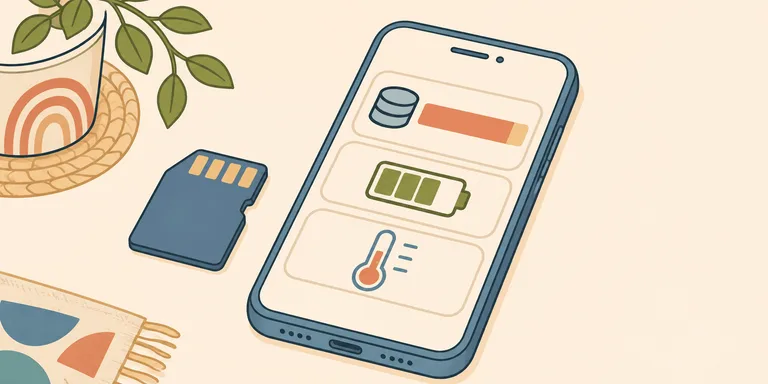
Two gigabytes free can look like enough space until the next recording, download, or update needs it. The number tells you what remains now. It does not tell you whether the phone can complete the next job.
I would treat a nearly full phone as a capacity problem before trying to explain every hesitation as a failing processor. I would also separate storage from battery condition, power-saving settings, temperature, and the network. They can produce similar symptoms for different reasons.
Current manufacturer guidance supports checking the state of this device before assigning a cause. Change one likely factor, then repeat the task that failed. That comparison can help separate a capacity limit from a problem specific to one app.
Free space guidance differs by platform
Apple's September 2026 slow-device guide recommends maintaining at least 1 GB of free storage to avoid slowdowns. Google's Android troubleshooting page warns that problems can begin below 10% free, while noting that settings and steps vary by manufacturer.
These are support recommendations, not identical hardware laws. They do not justify declaring that every phone needs precisely 15% free or that one additional gigabyte fixes every slow app. A percentage and an absolute amount also describe different buffers on devices with different capacities.
The next task gives that buffer a purpose. If you plan to record a long event, make room for the recording and enough space to manage it afterward. If an update reports that it needs more space, use its stated requirement. A minimum troubleshooting recommendation is not a promise that any size of operation will fit.
Check storage settings before deleting anything. Identify large downloads or media you no longer need. Verify a backup before removing the only local copy of a file. Offloading an app and deleting its documents are different actions; read the device's description before choosing one.
Measure the recording you actually use
Video size depends on the format, frame rate, codec, and recording settings. I would not carry a single megabytes-per-minute estimate across every phone and mode.
Make a short sample with the settings you intend to use, then inspect the file size. Suppose an illustrative one-minute sample occupies 400 MB. Twenty minutes would use roughly 8 GB if the rate stayed similar, before allowing for other files or variation. That estimate is much more relevant to the plan than a generic claim that 4K always consumes a particular amount.
Variable bit rates and changing scenes can affect the result. Leave room for that uncertainty and check the recording settings' own estimates where available. The exercise is planning, not a benchmark of the storage controller.
A delayed camera save does not identify a storage-controller fault. Garbage collection and cache behaviour require evidence about the device under that workload. An app bug could need a software fix; background processing might finish on its own. A thermal limit calls for a separate temperature check.
A low battery percentage is not the whole diagnosis
Apple's battery-performance explanation describes performance management using factors including temperature, state of charge, and battery impedance. It does not support a rule that every Android and iPhone processor automatically slows at 20% or 10% charge.
A power-saving mode is another setting to inspect. If it intentionally reduces some activity, a slower operation may be part of that trade-off. Record whether the mode is enabled before comparing two runs of the same task.
Battery age and condition can affect the available performance too. Check the manufacturer's health information and any service recommendation. A slow app by itself is not sufficient evidence that buying a replacement battery will solve the problem.
Heat and network delay need separate checks
Apple's temperature guidance explains that a device can reduce performance or alter charging behaviour when temperatures move outside normal conditions. If a temperature warning appears, follow that guidance and let the device return to normal conditions before judging its speed.
An app waiting for data can also feel slow while the local hardware is working normally. Compare a local task with the network-dependent one. If a downloaded photograph opens immediately but a remote album waits, investigate the connection and service before blaming storage throughput.
For a recurring problem, record the phone model, system version, app, available space, power mode, and whether it was warm. Repeat one specific task after a measured change. That leaves a useful account for troubleshooting, and a better basis for deciding what to fix than the feeling that the phone has reached its limit.