Give the AI your Godot scene, then play the change
Keep generated Godot code tied to the installed API and a small test scene where movement changes can be judged.
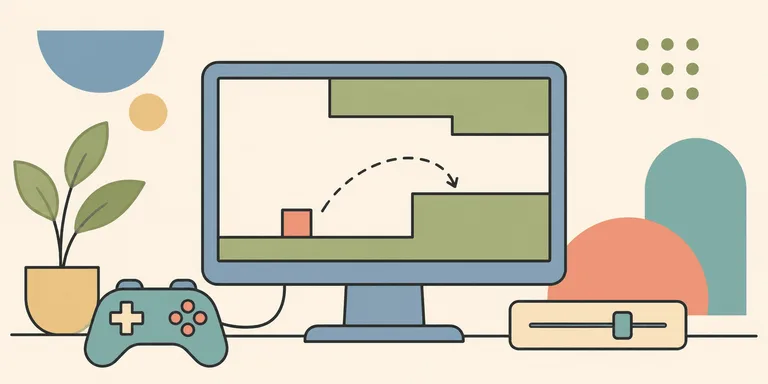
A game prototype can contain a working menu and still have an unpleasant jump. Generating more features will not resolve that jump unless somebody plays it, identifies the problem and changes the relevant behavior.
For a small 2D game, I would choose the engine before asking an assistant for code. Then I would keep one test scene close enough that each movement change can be tried immediately. Godot is a suitable option for that workflow, provided the generated code matches the project's version.
Give the assistant the scene it must work with
A prompt naming an engine leaves a lot unspecified. Supply the exact version and the node tree involved in the change. Include the script that currently owns movement, along with the input actions configured in the project.
In Godot 4, a typical scripted player body uses CharacterBody2D. Its movement API includes a velocity property and a move_and_slide() method. A prompt that asks for Godot 4 code while naming KinematicBody2D mixes generations of the API.
Godot's migration documentation records the change from the older class. Check generated examples against the installed version. A plausible class name can send a beginner through several unnecessary debugging attempts.
Ask for a change to the existing script. "Add a short jump-input buffer using these input actions" has a bounded target. "Make the game feel professional" leaves the assistant to invent a scene and a design brief at the same time.
If an animation node is required, name the node that exists. A generated reference to an imagined child node can fail only when that path is used, even if the rest of the script loads.
Keep one place to feel the change
Build a small movement scene with the situations you need to compare. A ledge can test late jump input. A low ceiling can expose collision behavior. Keep the scene simple enough that a new asset pack cannot disguise a movement problem.
Separate the question under test from the number of features. A jump-input buffer determines whether a press shortly before landing is retained. Coyote time concerns a short opportunity to jump after leaving a ledge. They solve different input situations.
Expose the relevant durations as named settings. Record the previous values before tuning. That makes a comparison repeatable and helps you reverse a change that felt good for one obstacle but poor elsewhere.
The assistant can propose an implementation and explain the state transitions. The player still needs to try it. A passing syntax check cannot establish whether the timing feels forgiving or unresponsive.
Inspect runtime behavior before requesting a rewrite
Godot's debugging tools include visible collision shapes and runtime inspection. Use them when the apparent movement problem could come from the scene configuration.
A player catching on an edge might involve a collision shape. An animation that never plays might involve a node reference. Repeatedly asking for a different movement script can leave the actual cause untouched.
Give the assistant the observed error and the smallest relevant state. Ask what evidence would distinguish the possible causes. Then inspect that evidence before accepting another patch.
Keep unrelated behavior out of the diff. Adding a jump buffer should not require a new save system or a different input architecture. A narrow change is easier to evaluate by playing the same scene again.
Version awareness applies beyond the player controller. The current TileMapLayer documentation describes the layer-based node and notes the older TileMap node's deprecation. Existing tutorials can still help, but their node assumptions need review.
Try the exported build early
The editor is a useful place to tune. It is only one environment in which the game will run. Export a small build to the intended target before the project grows around assumptions you have never tested there.
Check input on the device the player will use. A movement system tuned around a keyboard may need separate decisions for a touch interface or controller. Treat that as a design task with its own observations.
There is no universal thirty-second iteration time, and a browser game can be enjoyable. The useful property is a short route from a specific change to an actual play test. Keep that route working while the assistant helps with the code around it.